There are a number of areas for support of the Family Tree Maker program. The first place to look is the HELP menu, withing the Family Tree Maker program.
Further online support can be found by clicking on Help, Online Help Center in most recent versions of the program. That will take you here:
Knowledge Base Websites or Online Help Center
******************************************************************************************************
There are a couple of Email Lists that Family Tree Maker User's subscribe for Help, Ask Questions, or to help other users with the program.
******************************************************************************************************
Rootsweb FTM-Tech List
******************************************************************************************************
Showing posts sorted by relevance for query help. Sort by date Show all posts
Showing posts sorted by relevance for query help. Sort by date Show all posts
Thursday, October 2, 2008
Tuesday, October 1, 2013
FTM2014 - Trouble Shooting Installation Issues
From reading the various messaging websites, where Family Tree Maker users post the problem they are having, I thought that I would put this blog post together referring to the Ancestry.com Family Tree Maker Knowledge Base Website.
There are two way's to get there.
From within Family Tree Maker, click on Help, from ANY Workspace, then selecting Online Help Center.

That will take you to the Ancestry.com Knowledge Base website. You will get to the SAME page, from the Get Help link on Ancestry.com's WebSite.
This is where you enter a KEYWORD for the Online Help Center to search. I found that one word will find what you are looking for. The goes for any issue with Ancestry.com in general AND Family Tree Maker specifically.
If this case, I entered Install

As of today, it returned 110 articles.

You would browse down through the articles that best describe the problem or question you might have.
This Blob Post is a summary of the articles that I would suggest you follow. They are all on this list, AND the KEYWORD search can be the Article Number that will be part of this Blog post.
This blog post was NOT created to provide step by step instructions, but only to point out a couple of specific things to look for and a high level summary of the steps that can be taken.
.
5250 - Issues installing Family Tree Maker - Keyword Search 5250
http://help.ancestry.com/app/answers/detail/a_id/5250
Another Key point is Avoiding conflicts with other software
4400 - Uninstalling Family Tree Maker 2008-2012 - Keyword Search 4400
http://help.ancestry.com/app/answers/detail/a_id/4400/
4848 - Manually uninstalling Family Tree Maker 2010-2012 - Keyword Search 4848
http://help.ancestry.com/app/answers/detail/a_id/4848/
1917 - How to perform a clean boot of Windows - Keyword Search 1917
http://help.ancestry.com/app/answers/detail/a_id/1917
Windows XP, Vista or 7
http://support.microsoft.com/kb/331796
Windows 8
http://support.microsoft.com/kb/929135/en-us
There is a useful Software Program Uninstaller that has worked
Revo Uninstaller Pro - Uninstall Software, Remove Programs easily ...
www.revouninstaller.com/
Revo Uninstaller Pro helps you to uninstall software and remove unwanted programs installed on your computer easily! Even if you have problems uninstalling ...
There is a Free Version on that website for your consideration
_______________________________________________________________
Copyright © 2013 by H R Worthington
There are two way's to get there.
From within Family Tree Maker, click on Help, from ANY Workspace, then selecting Online Help Center.

That will take you to the Ancestry.com Knowledge Base website. You will get to the SAME page, from the Get Help link on Ancestry.com's WebSite.
http://help.familytreemaker.com/
This is where you enter a KEYWORD for the Online Help Center to search. I found that one word will find what you are looking for. The goes for any issue with Ancestry.com in general AND Family Tree Maker specifically.
If this case, I entered Install

As of today, it returned 110 articles.

You would browse down through the articles that best describe the problem or question you might have.
This Blob Post is a summary of the articles that I would suggest you follow. They are all on this list, AND the KEYWORD search can be the Article Number that will be part of this Blog post.
This blog post was NOT created to provide step by step instructions, but only to point out a couple of specific things to look for and a high level summary of the steps that can be taken.
.
One Key thing to check, as described in the article is:
Confirm windows is up to date which says
Check for any Windows Updates that may be available and pay particular attention to any that may relate to the Microsoft .NET Frameworks
http://windowsupdate.microsoft.com/
This would include, but not limited to the disabling and turning off any computer anti-virus software on your computer.
Windows XP
http://support.microsoft.com/kb/310353
Windows Vista & 7
http://support.microsoft.com/kb/929135/en-us
There are other steps in that article and don't forget to turn your anti-virus software back on when you are done.
Before manually removing the program, please do the following: - Keyword Search 1917
http://help.ancestry.com/app/answers/detail/a_id/1917
Windows XP, Vista or 7
http://support.microsoft.com/kb/331796
Windows 8
http://support.microsoft.com/kb/929135/en-us
Reasons for a Manual Uninstall of Family Tree Maker 2010-2012
Manual Removal Steps
Clear out registry items that Family Tree Maker 2010-2012 created
http://support.microsoft.com/kb/256986
Windows XP, Vista or 7
http://support.microsoft.com/kb/331796
Windows 8
http://support.microsoft.com/kb/929135/en-us
There is a useful Software Program Uninstaller that has worked
Revo Uninstaller Pro - Uninstall Software, Remove Programs easily ...
www.revouninstaller.com/
Revo Uninstaller Pro helps you to uninstall software and remove unwanted programs installed on your computer easily! Even if you have problems uninstalling ...
There is a Free Version on that website for your consideration
_______________________________________________________________
Copyright © 2013 by H R Worthington
Friday, October 2, 2009
Family Tree Maker: Webinar Recap
This information can be found on the Ancestry.com Blog:
http://blogs.ancestry.com/ancestry/2009/10/02/family-tree-maker-webinar-recap/
Hello Everyone,
We want to thank you all for your questions and participation in the webinar for Family Tree Maker 2010. We had a great turnout, with about 2,000 of you participating live with us that night.
We answered as many questions as time permitted, and we’re sorry if we weren’t able to get to yours yet. But don’t worry, we’ve got a list of the questions asked during the webinar, and we’ll be posting here to answer what we can. Again, specific questions about errors or technical problems will be answered much more quickly if you email support@ancestry.com or give our customer support center a call.
We just wanted to briefly mention some of the more frequently asked questions here:
Q: Will the webinar be available for viewing at a later date?
A: Yes. We will have the archived webinar up on our site in a few days. When its available, you can find this webinar, and past webinars at http://familytreemaker.com/About/Webinars.aspx. The webinars can be found on both FamilyTreeMaker.com in the Help section and on Ancestry.com under the Learning Center.
Q: What about phantom hints with the shaky leaves?
A: We are aware of this problem, and are working on getting things fixed. Right now the best thing is to be patient with us, or email support@ancestry.com for some help.
Q: There were lots of questions about functions in the program.
A: Many of those can be answered within the program itself, so you don’t have to wait for us to get back to you to get working on your family history. To get answers, go to the Help menu in Family Tree Maker, and there you will find the Training Tutorials and Online Help Center.
The tutorials are videos on your program that go over some of the basics of Family Tree Maker, and are great for visualizing what you want to do within the program.
The Online Help Center gives you access to the Getting Started Guide. This handy guide will help you begin your first Family Tree Maker project and master the program’s basic features. You can quickly navigate to the section you would like to see for the answers you are looking for.
Also in Online Help Center is a link to our free online database of Knowledge Base articles. These are often made up of answers excerpted from the Official Guide, and are updated often. These are a lot of the same answers Customer Support would provide–it’s the same set of information they work from when they’re answering your questions. By typing in a few key words of what you are looking for, such as “splitting trees” or “duplicate people,” a list of articles will display that you can browse through to find what you are looking for.
During the webinar, there were many more questions, and just to give you a heads up for what we’re working on to put in the blog post, keep your eye out for these new posts:
Book publishing
Source Citation
Transferring Files
Thanks!
http://blogs.ancestry.com/ancestry/2009/10/02/family-tree-maker-webinar-recap/
Hello Everyone,
We want to thank you all for your questions and participation in the webinar for Family Tree Maker 2010. We had a great turnout, with about 2,000 of you participating live with us that night.
We answered as many questions as time permitted, and we’re sorry if we weren’t able to get to yours yet. But don’t worry, we’ve got a list of the questions asked during the webinar, and we’ll be posting here to answer what we can. Again, specific questions about errors or technical problems will be answered much more quickly if you email support@ancestry.com or give our customer support center a call.
We just wanted to briefly mention some of the more frequently asked questions here:
Q: Will the webinar be available for viewing at a later date?
A: Yes. We will have the archived webinar up on our site in a few days. When its available, you can find this webinar, and past webinars at http://familytreemaker.com/About/Webinars.aspx. The webinars can be found on both FamilyTreeMaker.com in the Help section and on Ancestry.com under the Learning Center.
Q: What about phantom hints with the shaky leaves?
A: We are aware of this problem, and are working on getting things fixed. Right now the best thing is to be patient with us, or email support@ancestry.com for some help.
Q: There were lots of questions about functions in the program.
A: Many of those can be answered within the program itself, so you don’t have to wait for us to get back to you to get working on your family history. To get answers, go to the Help menu in Family Tree Maker, and there you will find the Training Tutorials and Online Help Center.
The tutorials are videos on your program that go over some of the basics of Family Tree Maker, and are great for visualizing what you want to do within the program.
The Online Help Center gives you access to the Getting Started Guide. This handy guide will help you begin your first Family Tree Maker project and master the program’s basic features. You can quickly navigate to the section you would like to see for the answers you are looking for.
Also in Online Help Center is a link to our free online database of Knowledge Base articles. These are often made up of answers excerpted from the Official Guide, and are updated often. These are a lot of the same answers Customer Support would provide–it’s the same set of information they work from when they’re answering your questions. By typing in a few key words of what you are looking for, such as “splitting trees” or “duplicate people,” a list of articles will display that you can browse through to find what you are looking for.
During the webinar, there were many more questions, and just to give you a heads up for what we’re working on to put in the blog post, keep your eye out for these new posts:
Book publishing
Source Citation
Transferring Files
Thanks!

Wednesday, September 24, 2008
Family Tree Maker Web Sites and Links
Here is the beginning of a list of Web Pages that talk about Family Tree Maker OR are resources for this program.
Other helpful websites will be included in this Blog as they are identified.
- The Family Tree Maker Knowledge Base website for Versions 2008 and 2009: There are at least two ways to get there. The link at the beginning of this line and the Help, Online Help Center, within the Family Tree Maker program. There are articles are of interest. There is a Keyword search available to help locate a specific article.
- The Family Tree Maker Knowledge Base website for Versions, prior to Version 2008. This is a very good resource in the use of the Family Tree Maker program, of versions prior to 2008.
- The Genealogy.Com Learning Center. There are a number of articles dealing with the Family Tree Maker program as well as other Genealogy articles.
- The Family Tree Maker Home Page. There is a link to What is In Family Tree Maker, a link to an Interactive Training Tutorial, a link to Webinar's, and a link to purchase the program.
- Family Tree Maker Version history. This is an updated version of the next link
- Family Tree Maker version history. Of interest, this page provides the history of the various versions of the Family Tree Maker program.
- Family Tree Maker GenForums: A great place to search looking for User to User help with the Family Tree Maker program. It's important to understand that the Family Tree Maker links, on this page, will take you to specific GenForums to answer questions on specific aspects of the program. For example, if you have questions on how to use the Family Tree Maker program, the Family Tree Maker: Usage and How-To Questions Get the Most Out of Your FTM Software may be the place to start. Again, it is Users helping other Users. The first point for help, AFTER the Help Menu within the program, would be the Online Help Center / Knowledge Base website (#1 above)
- Ancestry.Com Family Tree Maker Message Board. This is another User to User message board for users of the Family Tree Maker program.
Other helpful websites will be included in this Blog as they are identified.
Tuesday, May 5, 2009
FTM2009: - Minor Update
The Family Tree Maker Blog has just been updated with the following:
Family Tree Maker 2009: Minor Update
Today we are making available a minor update to Family Tree Maker. The update resolves a few key issues in Family Tree Maker 2009.
To receive the update,
- Start Family Tree Maker 2009.*
- An update notice will appear with options to “Update” or “Remind Me Later.”
- If you click “Update” another screen will appear. Make sure “Family Tree Maker 2009” is checked and click “Update.”
- A third screen will give you options about installing or scheduling the update.
- Click “Start” to begin the update.
If you decide not to update now, you can install the update later by choosing “Check For Updates” from the “Help” menu in Family Tree Maker 2009.
For more information on the update, visit Family Tree Maker Update.
* Note: If you’re running Vista with User Account Control (UAC) turned on, run Family Tree Maker 2009 as an administrator to start the update. To do this, right-click on the Family Tree Maker 2009 icon on your desktop and choose “Run as administrator” from the menu.


Wednesday, September 17, 2008
Family Tree Maker 2009 - Menu's
This is a summary of the Menu's available from most screens.


Figure 2
This is a listing of Menu selections under each of the above Menu Items. The Menu selections may or may not be active on the specific screen that you are on.
File Menu: (Now that you have the program open, and you do not want to work on the current file, you can...)
- Open - an existing file, and close the currently opened file
- Open in New Window - open an file in a new window
- Import As New Tree - Import a file into a new tree (Family File)
- Merge - Merge information from another file into the currently open file
- Close - Close the existing File
- Export - Export the existing file
- Backup - Back Up your Existing File
- Restore - Restore a file from an existing Back Up File (one created by #7 above)
- Privatize File - Family Tree Maker allows you to assure the privacy of others (as well as your own) by designating certain facts as private. This prevents this information from being imported/exported, printed, copied, or published on the Internet (more details in the Help Menu)
- Go Offline - Will allow you to work Off Line from the Internet
- Exit - Close the Existing File and Close the Family Tree Maker program
Edit Menu: (basic editing, depending on the screen you are on) - Details to follow
- Undo
- Redo
- Cut
- Paste
- Delete
- Select All
- Insert Symbol
- Edit Person
- Find Duplicate Person
- Find Individual
- Find and Replace
- Manage Facts
- Manage Sources
- Manage Repositories
View Menu: Another way to navigate what you want to look at. They do the same of the Buttons at the top of the screen. Details to follow
- Back
- Forward
- Plan
- People
- Places
- Media
- Sources
- Publish
- Web Search
Tools Menu:
- Date Calculator - Helps you calculate the date of an event, the amount of time between events, or the age of a person.
- Relationship Calculator - Shows how two people from the tree file are related.
- Soundex Calculator - Displays the Soundex code for a name.
- Resolve All Place Names - Helps you find the correct spelling for a place in your tree file.
- Compact File - Reduces the memory size of the tree file while fixing possible database errors.
- Convert Names - Changes the surnames in the tree file to either mixed case (capitalize the first letter of the name) or upper case.
- User Information - Lets you enter your personal information so it can be included on charts and reports.
- Plugins - Lists the applications that work with Family Tree maker to extend its functionality. All of the installed plugins are listed in the Manage Plugins dialog box. For information about installing plugins and how they work, see the documentation that comes with the plugin.
- Options - Opens Family Tree Maker's system settings.
Help Menu: (F1 Key)
- Help for Family Tree Maker - Built in Help program
- Online Help Center - Access to Technical Support and the Knowledge Base Website
- Training Tutorials - The Family Tree Maker website will open and let you run various Online Tutorials on the use of the program.
- Register Family Tree Maker - Ancestry.com offers registered users of Family Tree Maker the following special benefits: the powerful Family Tree Maker Web Search feature and the ability to merge Ancestry.com records into your tree; access to dynamic maps; discounts on future versions of Family Tree Maker; and notifications of updates.
- Activate Ancestry Subscription - If you are already a member of Ancestry.com or if a free membership came with your Family Tree Maker purchase, you can activate your subscription within the software. Once you’ve activated your account, you can use the Web Search feature to merge Ancestry.com records into your tree.
- Check for Update - Ability to check to see if there are any updates to this version of Family Tree Maker.
- About Family Tree Maker - Will provide the current Product Version of the program. [ Family Tree Maker 2009, Version 18.0.0.95 is the current version ]. Information from this screen is important when seeking help from the various Message Boards and Email lists that address the Family Tree Maker program.
Getting Started Guide
The Getting Started Guide can also be viewed as a PDF on your computer. If you chose to include the guide when you installed Family Tree Maker 2009, follow the steps below to find and read the guide. If you didn’t install the guide on your computer, you can find it on the CD-ROM.
- Double-click the My Computer icon on the desktop.
- Double-click the icon labeled C: (the default location for installing programs).
- Double-click the Program Files folder.
- Double-click the Family Tree Maker 2009 folder (or the folder you chose to install the software in, if different).
- Double-click the Manuals folder.
- Double-click the Getting Started Guide (Guide.pdf).
If you are not able to view the PDF version of the manual, you will need to install Acrobat Reader, which is available for free download from the Adobe website <www.adobe.com>.
This is a link to the Getting Started Guide for Famliy Tree Maker 2009
Wednesday, October 2, 2013
FTM2014 - TreeSync™ Issue
UPDATE: Just after I made this blog post, there was an announcement about TreeSync™ Issues.
http://ancestryforums.custhelp.com/posts/2d1e415f54
This is an unproven by anyone else, but there may be a way to recover from a TreeSync™ problem.
The first place to look for help is the Knowledge Base website. For this specific issue, although it talks about FTM2012, the same steps should work for FTM2014. It is Knowledge Base article 5433.
You can get there from the Help, Online Help Center in FTM2014

You will be taken to the Knowledge Base website or you can get there from the Get Help on www.ancestry.com
For this issue, the Key Word would be "sync" and click Search Online Help. There are currently 32 articles on this subject, but the 1st one is that one you want.
One thing that I found was another approach. But, I made several observations when a specific set of things happened. I think in may work for other sync issues, but this worked for me.
I saw in the Plan Workspace that I needed to Sync because I had made changes in my FTM2014 file that needed to be made. As is my normal process I click on Tools, Compact File. Use this opportunity to Back Up my file, with check marks in all options, back up complete, compact started and completed.
Then slicked on the Sync Now, and . Less than 1/2 way through the process, I received this error message.


NOTE: IF you were having issues with this feature and as normal practice, I find that BEFORE I close FTM2014 down, I make sure that In Sync is the Status AND that the Media Complete is present on that part of the Plan Workspace

_______________________________________________________________
Copyright © 2013 by H R Worthington
http://ancestryforums.custhelp.com/posts/2d1e415f54
This is an unproven by anyone else, but there may be a way to recover from a TreeSync™ problem.
The first place to look for help is the Knowledge Base website. For this specific issue, although it talks about FTM2012, the same steps should work for FTM2014. It is Knowledge Base article 5433.
You can get there from the Help, Online Help Center in FTM2014

You will be taken to the Knowledge Base website or you can get there from the Get Help on www.ancestry.com
For this issue, the Key Word would be "sync" and click Search Online Help. There are currently 32 articles on this subject, but the 1st one is that one you want.
One thing that I found was another approach. But, I made several observations when a specific set of things happened. I think in may work for other sync issues, but this worked for me.
I saw in the Plan Workspace that I needed to Sync because I had made changes in my FTM2014 file that needed to be made. As is my normal process I click on Tools, Compact File. Use this opportunity to Back Up my file, with check marks in all options, back up complete, compact started and completed.
Then slicked on the Sync Now, and . Less than 1/2 way through the process, I received this error message.

When this happened, I clicked OK, and Looked at the Plan Workspace, Left Panel very carefully.


That something was wrong, I thought, with the Date and Time of the last Online tree being changed. First of all, I hadn't made any changes recently.
So, what I did next, was to see if there was some other problem going on, was it my File, something wrong with the program on my computer or something else. I wanted to check the Sync Feature, but one a Different File.
I created, in FTM2014, a three person file. Not a lot of details, no citations (oh no, no citations ??). I then did an Upload and Sync. Called the Ancestry Member Tree (AMT) test, and the sync worked correctly, as expected. So, it's not my program, could be my file, or, don't know what else.
Not satisfied with that, I made a change to the AMT, by adding a Birth and Death year for one of the people in the AMT, and NOT in my test FTM2014 file. Came back to FTM2014 and saw the Sync Needed text on the Plan Workspace with the downward pointing arrow. That is what I had expected to see.
SyncNow worked and the updates in the AM"T were not on my PC.
Closed this test file, opened my main file, still set Sync Needed, as it had before,
This time the Sync Completed as it had in the past. So, my file was OK, FTM2014 is OK, something may have happened in the AMT. Oh, and the Date and time of the Change in the Online Tree was corrected.
I am not able to say this will work for anyone else. But it is what I did to resolve the problem that I had.
NOTE: IF you were having issues with this feature and as normal practice, I find that BEFORE I close FTM2014 down, I make sure that In Sync is the Status AND that the Media Complete is present on that part of the Plan Workspace
_______________________________________________________________
Copyright © 2013 by H R Worthington
Friday, August 21, 2009
Family Tree Maker: Upgrading from previous versions
Information from the Ancestry.com Family Tree Maker Blog:
http://blogs.ancestry.com/ancestry/
Family Tree Maker: Upgrading from previous versions
* Posted by Michelle Pfister
* August 21, 2009
We are often asked about the process of upgrading to Version 2010 from older versions of Family Tree Maker. If you’re upgrading, here are some answers to frequently asked questions:
Q: Will FTM 2010 run on my computer?
A: Your computer must meet the minimum system requirements in order to run the program. A list of system requirements can be found here. By going to the Start menu and selecting the Help option, you can search for “About this computer” to find your system information and compare to the list on the Web site.
Q: Will FTM 2010 replace my old version?
A: No. Family Tree Maker 2010 will install as a completely separate program and will not affect your old program. If you do not want to keep your old version you will need to uninstall it.
Q: Do I need to install FTM 2009 before I can upgrade to FTM 2010?
A: No. Because FTM 2010 installs as a separate program you can upgrade to 2010 directly, without having to install any older software.
Q: Will FTM 2010 automatically open my files from the old version?
A: This depends on which version you’re upgrading from. If you’re upgrading from version 2008 or 2009, your old file names will appear in your list of trees. Then opening the files will convert them to the new format. If you’re upgrading from an older version (Version 16 or older) you will need to import your files into the new program. You can see instructions on how to upload your files from the older version, or how to import files from other programs to your new Family Tree Maker here.
Q: When I import my file will it get ALL of the data?
A: Family Tree Maker 2010 will import all of the data contained in the file you are importing. If you have multiple files in the old program to represent different families, you will have to import each one separately.
Q: I can’t find my files from the old version to import them. Where are they?
A: You can use either your old version’s Find file utility or use Windows Search to locate the files on your computer. These are detailed here.
Q: My old version is on a different computer. How can I transfer the file to my new computer?
A: By exporting your old files to an external drive, you can transfer your files from one computer to another. Detailed instructions for this can be found here.
Q: Do I need to keep my old version on the computer after upgrading?
A: No. Once you have imported your data files into FTM 2010 you can uninstall your old version, it is not required for FTM 2010 to operate. Removing your older version is optional, but doing so will leave more memory available for use on your computer. Even if you remove your old program, you can keep your old data files for safekeeping.
Q: I imported my files, but I don’t know where they are now. Where does FTM 2010 store the data files?
A: The default save location is in a Family Tree Maker folder in your Documents folder. Any imported files will be here unless you changed the File Location on the import screen. If your files are not in your Documents folder and you don’t remember if you changed the File Location or what you changed it to, you can use Windows Search to locate the files. The search tool can be found under the Start menu on your computer.
Q: How can I make FTM 2010 look like my old program?
A: Family Tree Maker 2010 is built on our new platform, which has many similarities to the older versions but looks quite different. The People workspace, Family tab is a combined Pedigree View and Family View from the old programs.
Q: I need help working in the new format. Are there any tutorials available?
A: There are Training Tutorials available in the Help menu and a Getting Started Guide available on our website to help you get started working in the new format. You can view the Getting Started Guide by clicking here.
I hope these answers help. If you’ve already made the transition to Family Tree Maker 2010, please offer your helpful questions and answers here. Thanks!
http://blogs.ancestry.com/ancestry/
Family Tree Maker: Upgrading from previous versions
* Posted by Michelle Pfister
* August 21, 2009
We are often asked about the process of upgrading to Version 2010 from older versions of Family Tree Maker. If you’re upgrading, here are some answers to frequently asked questions:
Q: Will FTM 2010 run on my computer?
A: Your computer must meet the minimum system requirements in order to run the program. A list of system requirements can be found here. By going to the Start menu and selecting the Help option, you can search for “About this computer” to find your system information and compare to the list on the Web site.
Q: Will FTM 2010 replace my old version?
A: No. Family Tree Maker 2010 will install as a completely separate program and will not affect your old program. If you do not want to keep your old version you will need to uninstall it.
Q: Do I need to install FTM 2009 before I can upgrade to FTM 2010?
A: No. Because FTM 2010 installs as a separate program you can upgrade to 2010 directly, without having to install any older software.
Q: Will FTM 2010 automatically open my files from the old version?
A: This depends on which version you’re upgrading from. If you’re upgrading from version 2008 or 2009, your old file names will appear in your list of trees. Then opening the files will convert them to the new format. If you’re upgrading from an older version (Version 16 or older) you will need to import your files into the new program. You can see instructions on how to upload your files from the older version, or how to import files from other programs to your new Family Tree Maker here.
Q: When I import my file will it get ALL of the data?
A: Family Tree Maker 2010 will import all of the data contained in the file you are importing. If you have multiple files in the old program to represent different families, you will have to import each one separately.
Q: I can’t find my files from the old version to import them. Where are they?
A: You can use either your old version’s Find file utility or use Windows Search to locate the files on your computer. These are detailed here.
Q: My old version is on a different computer. How can I transfer the file to my new computer?
A: By exporting your old files to an external drive, you can transfer your files from one computer to another. Detailed instructions for this can be found here.
Q: Do I need to keep my old version on the computer after upgrading?
A: No. Once you have imported your data files into FTM 2010 you can uninstall your old version, it is not required for FTM 2010 to operate. Removing your older version is optional, but doing so will leave more memory available for use on your computer. Even if you remove your old program, you can keep your old data files for safekeeping.
Q: I imported my files, but I don’t know where they are now. Where does FTM 2010 store the data files?
A: The default save location is in a Family Tree Maker folder in your Documents folder. Any imported files will be here unless you changed the File Location on the import screen. If your files are not in your Documents folder and you don’t remember if you changed the File Location or what you changed it to, you can use Windows Search to locate the files. The search tool can be found under the Start menu on your computer.
Q: How can I make FTM 2010 look like my old program?
A: Family Tree Maker 2010 is built on our new platform, which has many similarities to the older versions but looks quite different. The People workspace, Family tab is a combined Pedigree View and Family View from the old programs.
Q: I need help working in the new format. Are there any tutorials available?
A: There are Training Tutorials available in the Help menu and a Getting Started Guide available on our website to help you get started working in the new format. You can view the Getting Started Guide by clicking here.
I hope these answers help. If you’ve already made the transition to Family Tree Maker 2010, please offer your helpful questions and answers here. Thanks!
Friday, April 14, 2017
What's YOUR Plan for FTM2017 ?
While we await the Software MacKiev team continue to test FTM2017, have you thought about Planning what are YOU might be doing to prepare for it's release ?
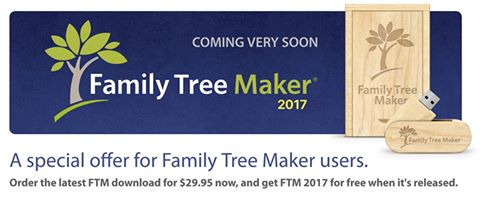
Used with permission from Software MacKiev
Actually, I thought I would share mine, based on what I have seen on the support.familytreemaker.com website.
- Make an inventory of ALL of my Family Tree Maker FILES on my computer
- Make an inventory of ALL of my Linked Ancestry Member Trees (AMT)
- I have a Desktop and a Laptop so, on that 2nd item, Identify WHICH computer is linked to which Ancestry Member Tree
- I have done this, but my inventory needs to be updated
- Within the FILES, I need to identify what Version of Family Tree Maker last opened that file
- For the older files, do I have THAT file in FTM2014.1 ?
So, getting the inventory of what I have to work with. EXCEL works for me. I have NOT done anything to these files at all, just gathering my inventory
When I open or close of my FILE, I do NOT just Exit or use the red X in the upper right to close the Program down. File Close, and File Exist.
- Review the Inventory and MARK which FILES can be ARCHIVED, meaning I already have a Back Up AND it's in FTM2014.1 already
- Inventory ALL of the BackUp files. Making a distinction between a manual BackUp and an Automatic BackUp. (the filename will include Auto Back Up, unless you removed that). The Automatic BackUp does not include Media Files
- Open Each of your "new" working list in FTM2014.1, one at a time
- Go to Tools, Compact AND BackUp that file, ALL check marks
- Mine will be to an External Drive
Now, ARCHIVE ALL of those files you marked to be inventoried BUT those files that you have in FTM2014.1, Hopefully, to an external drive, JUST IN CASE.
- In the Plan Workspace, use the Link to View the AMT from that Link
- Check the number of Profiles between the File and the Tree
- Check the number of Gallery Items in your Tree, and the number of Media Files in the Media Workspace
You can skip those steps if you do NOT have a Linked AMT. But you want to make sure that the File on your computer links to the Ancestry Member Tree.
Next, review, in the Plan Workspace, under "Start a new tree" and select Download a Tree from Ancestry. Check that list against your Inventory of Files (on your computer) and Trees (on Ancestry). See if you are missing any files. If you are missing a file, use the Export button, to download the Tree from Ancestry. MARK that file in your inventory. Suggest that you do something about that File LAST. I am guessing that you will have some clean up work to do.
You have your Working Files and it's Media Folders all in one place and you know what you have. You have a BackUp of EACH of them, on that external drive that can be restored if needed. You should be good to go.
Now, if you still have some time left, do a spot check of File, Restore from BackUp. This would be a file and folder that you can delete. When you are offered what the File Name should be when you restore, I add -Restored at the end
Master_2014-1_1510-2017-04-13-Restored
The Back file will have everything but -Restored so all you have to do is to add that. That makes it easier to Delete File and the Media Folder. For me, I will Archive that as well to my Archive External Drive.
Now you can prioritize the order in which you want to bring these files into FTM2017.
Things to think about:
- Make another BackUp and use a SMALL file to test out the FamilySync™ feature
- Look at the information in EACH of the Workspaces
- Plan
- People - Tree View
- People - Person View
- Places
- Media
- Media - by Category
- Source
- Citations
- Publish
- Publish - Saved Reports if you have them
- Publish - Books, if you have created any
- Look in the Help Menu for any NEW items in the Help Menu
Notice, I didn't say anything about New Features. What you are looking for is any problems in your File that you might have found during the new FamilySync™ feature. Remember, you have a BackUp..
- Make ONE, small change, in that "test" file, maybe the real file and do a SyncNow
- Review as you did before.
Think of this as a test file and don't panic. Remember, if you follow my suggestions, you have at least Two (2) Back Ups.
IF there is an issue, don't ask me, don't go to FaceBook, go IMMEDIATELY to
and let them know, EXACTLY what you did, what you saw, Verify in the Help, About Family Tree Maker and the Version number, include the last four numbers that you will see (FTM2014.1 .... 1510)
You could report a Bug on that website, you could have a Chat with them, but let Software MacKiev know that you have a problem. Posting those problem here or on Facebook is not the right place to get help.
This may look like a lot of work, and it is, but for me to plan this out, ahead of time will help me in the long run.
Because I teach creating and using Files and Trees, I have a lot on my list. Probably 25 or 30. At the End of this project, I will clean all of that up. Then I can get back to my research
_______________________________________________________________
Copyright © 2017 by H R Worthington
Wednesday, February 11, 2015
Ancestry Announces 2015 Product and Content Lineup
Ancestry Announces 2015 Product and Content
Lineup
Industry
Leader Talks Innovation and New Collections At Annual RootsTech Conference
(PROVO, Utah) – February 11, 2015 – Ancestry, the world's leading family history service, is ushering in the
next generation of family history, with the debut of an updated story centric website,
groundbreaking advancements in AncestryDNA that will revolutionize how people discover
their ancestors, and the anticipated addition of nearly 1 billion new records to
the largest collection of historical records online in 2015.
“We’re incredibly
excited about all the amazing things we have in store for our members this
year,” said Tim Sullivan, CEO of Ancestry. “In 2015, we’ll be launching some of
the most innovative new features and services in our company’s history. We think these additions are going to make
Ancestry an even more powerful resource for our existing users, while also
making family history easier, more accessible, and more fun for those just
getting started. We’re also proud of our
commitment to continue investing in new content. Our 2015 content roadmap will be anchored by
our expected fall release of more than 170 million Probate and Wills images,
one of the most exciting, engaging, and interesting content collections we’ve
ever published.”
Over the next
year, Ancestry will introduce breakthrough features and compelling content –
made possible by powerful advancements in science and technology – that will
give you an easier, richer and more engaging way to discover and tell your
family story, and make your family history journey easy and engaging, through a
highly customized, relevant and historically rich experience rooted in discovery
and storytelling.
·
Major Product Developments
o
A new and
improved Ancestry website will make it easier for anyone to discover and
tell the rich, unique story of their family, through new features and site
enhancements that will reinvent the ways Ancestry members create and showcase
their family story. The new site
experience is currently in limited Beta and will be demonstrated at RootsTech
On Friday, Feb. 13 at 1:00 pm MT (Room 151) as well as at the Ancestry booth.
Visitors to the Ancestry booth will be able to opt in to participate in the
Beta.
o
Ancestry mobile will introduce a full search feature in the iOS app that
will empower users to access 15 billion historical records and hints
anytime, anywhere in the native app environment. The intuitive interface will
make both simple and advanced searches easier, while the presentation of search
results will also help you quickly identify and prioritize the most important
results, making search less complicated. The Ancestry mobile team will
showcase version 1 search in the Ancestry booth and discuss search and other
mobile features in length during an FGS class, “Ancestry’s Mobile World,” on
Saturday, Feb. 14 at 1:00 pm MT.
o
Ancestry will also remain committed to providing
the best in educational resources with the launch of Ancestry Academy in April. The new resource will offer how-to tutorials
and historical guidance to help experts and novices alike. Released as a
limited Beta this week, Ancestry Academy will be showcased via demo in the
Exhibit Hall on Friday, Feb 13 at 3 pm MT. Those interested in participating in
this Beta should stop by the Ancestry booth for more information.
·
Continued Growth for AncestryDNA
o
With a database of over 700,000 genotyped members,
AncestryDNA has generated over one billion cousin connections to date. In 2015, we project this database to grow to
exceed well over one million genotyped members, resulting in even more and
higher quality cousin matches.
o
Following the successful launch of AncestryDNA in
the UK, we will soon be bringing the service to our members in Australia and
Canada, and in doing so, will connect the major English-speaking migrations and
globally connect families like never before.
o
Building on DNA Circles, in 2015 we will launch a new experience that will use
the latest genetic technology to discover new ancestors without the customer
having to search records or build a family tree. This new feature will transform
how family history research is done by providing valuable hints to help experienced
genealogist looking to break through brick walls, as well as open family
history to a whole new segment of the population. Through this new experience, AncestryDNA customers will be able to discover new ancestors
as far back as the 1700’s by connecting into existing DNA Circles.
·
Ancestry Around the World
o
Last winter, Ancestry expanded the availability of Archives.com to users in the UK, and
just last month in Australia and Canada.
o
Later this year, Ancestry will announce resources for
users in Germany and Mexico. With
more than 58 million Americans claiming sole or partial German heritage* and an
estimated 34 million residents of Mexican origin** the new sites will give nearly
100 million people in the US alone, the ability to learn more about their
family’s story.
·
New Record Collections
o
This fall Ancestry will release more than 170
million name-searchable images of million Probate
and Wills records. The most comprehensive collections of its kind,
these records will provide access to almost all wills probated in the United
States from the mid 19th century to 2000– an unprecedented treasure
trove of information to better inform familial narratives.
o
This spring, Ancestry will release the
comprehensive service records collection for the Australian Imperial Forces
– the main expeditionary force of the Australian Army during World War 1. Made
available in time for Australia’s 100-year commemoration of its entrance into
the war, the historical records will help honor the brave men and women that served.
o
Also
in 2015, Ancestry will make available in the UK, a variety of content
collections including WWI War
Diaries, Parish Baptism
Marriage and Burial Registers, and a collection of Francis Frith historic photos gathered from over 7,000
individual cities, towns, and villages across the UK from 1860-1960.
·
Professional
Research, Award Winning Television and You
o
With more than 150 years of combined
research experience, Ancestry’s professional research group, AncestryProGenealogists,
has helped people trace their family trees and connect with the past for more
than 15 years. The team has grown to become the largest service of its kind,
supporting research for the Emmy Nominated Show “Who Do You Think You Are?.” AncestryProGenealogists
will continue to grow and help solve family mysteries, break down brick walls,
and discover the stories that tell you who you are and where you came from.
o
Ancestry will also continue showcasing
family history around the world, through shows like Who Do You Think You Are?, Genealogy
Roadshow, Finding Your Roots, and Long Lost Family.
“Your family story
is a universe that is always expanding,” said Sullivan. “With new products and
even more records, Ancestry will provide the most unique, personable, and engaging
family history experience on the planet.”
To learn more
about how Ancestry is transforming family history, visit the Ancestry booth at
the RootsTech Conference in Salt Lake City, Utah from February 11-14, 2015.
###
* 1990 U.S. Census
** Pew Research Center 2013
About Ancestry.com
Ancestry.com is the world's largest online
family history resource with more than 2 million paying subscribers across all
its websites. More than 15 billion records have been added, and users have
created more than 60 million family trees to the core Ancestry websites,
including its flagship site www.ancestry.com and its
affiliated international websites.
Ancestry.com offers a suite of online family history brands, including
Archives.com, Fold3.com, Newspapers.com, as well as the AncestryDNA product,
sold by its subsidiary, Ancestry.com DNA, LLC, all of which along with its core
Ancestry websites, are all designed to empower people to discover, preserve and
share their family history.
Forward-Looking Statements
This press release contains forward-looking
statements. Forward-looking statements involve a number of risks and
uncertainties that could cause actual results to differ materially from those
anticipated by these forward-looking statements. Such risks and uncertainties
include a variety of factors, some of which are beyond the company’s control.
In particular, such risks and uncertainties include the company's ability to
add tools and features and provide value to satisfy customer demand and its
ability to acquire content and make it available online. Information concerning
additional factors that could cause events or results to differ materially is
contained under the caption “Risk Factors” in the Quarterly Report on Form 10-Q
for Ancestry.com LLC for the period ended September 30, 2014, which was filed
with the Securities and Exchange Commission on November 3, 2014, and in
discussions in other of the company’s Securities and Exchange Commission
filings. These forward-looking statements should not be relied upon as
representing our views as of any subsequent date and we assume no obligation to
publicly update or revise these forward-looking statements.
Subscribe to:
Posts (Atom)